PHISHING SIMULATIONS · EMPLOYEE TESTING

Understand reactions.
Find weak spots.
Support your team.

Test how employees respond to simulated fraudulent emails. Results show you who needs support and where to focus further training.

Ready-to-use and custom campaigns, results and follow-up training. In one application.

Ready-to-use and custom scenariosAn overview of responsesTraining based on results
Choose a scenario. Or create your own.

Start with a ready-made campaign or create your own content in Studio. Stay in control of the email and landing page.

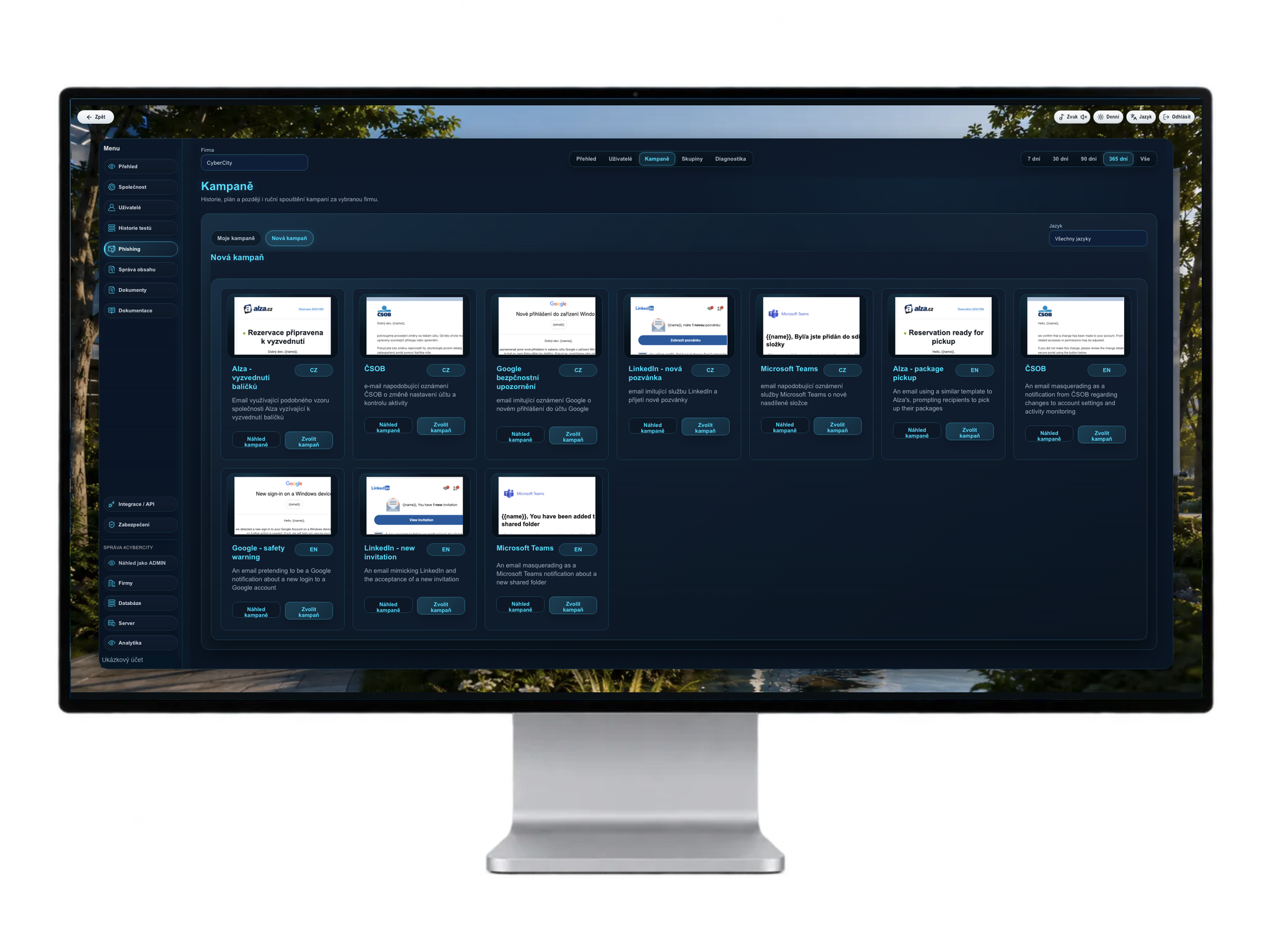
Ready-made phishing
campaigns

Application preview. Click to enlarge.

Choose a scenario from the campaign library. Examples mimic everyday situations: a parcel delivery, a login alert or an invitation to a shared folder.

A quick start with a prepared email and landing page.

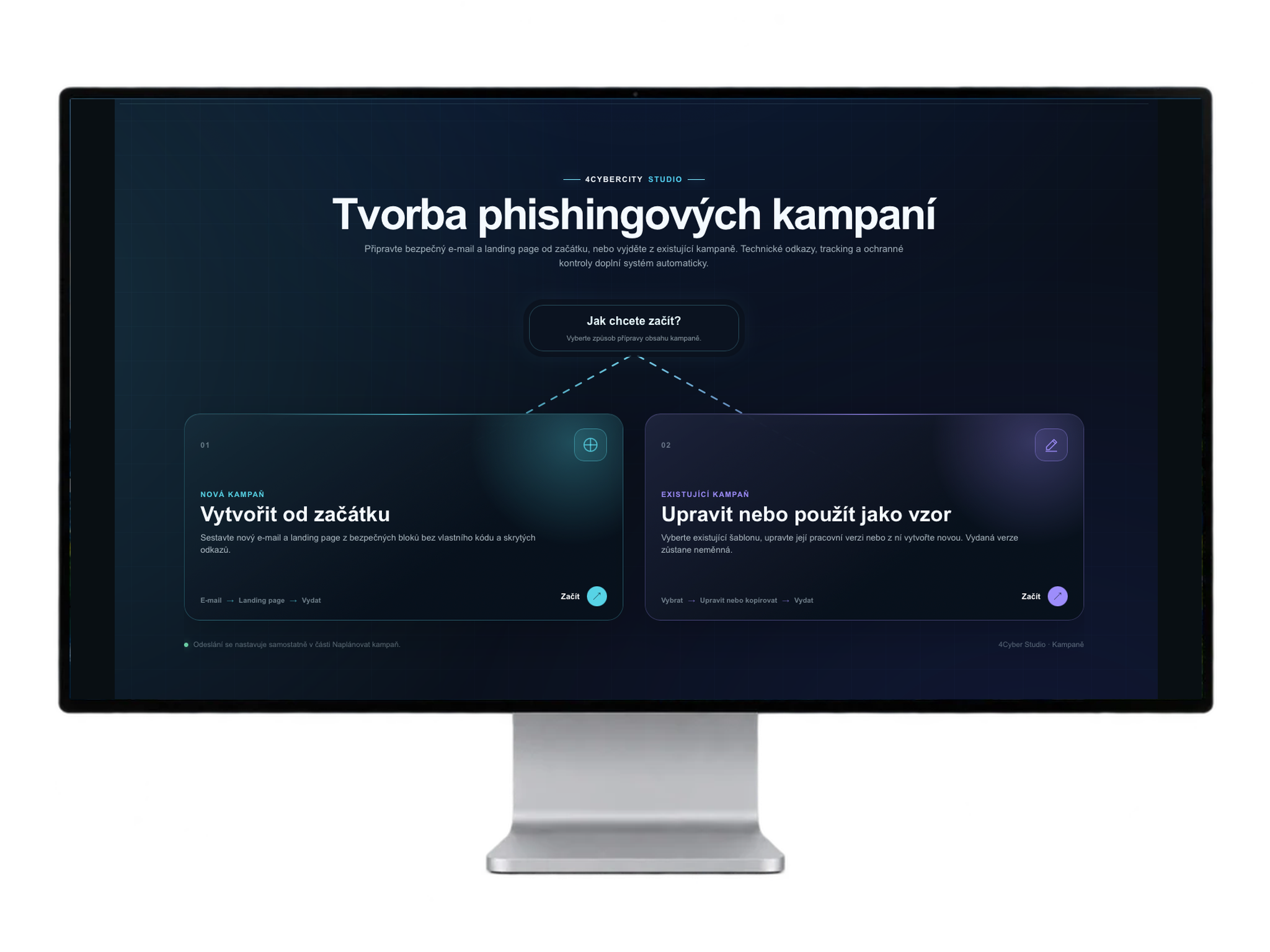
Your own campaign
in Studio

Application preview. Click to enlarge.

Create content from scratch or start from an existing campaign. Studio guides you through editing the email, sender and landing page.

A scenario for your company with a review before release.

From campaign preparation to the next step

A simple process for administrators. Measurable employee responses.

01

Prepare a campaign

Choose a ready-made scenario or create your own email and landing page.

02

Schedule a simulation

Select participants or a group and choose when the campaign runs.

03

Track responses

See who clicked, submitted a form or reported the suspicious email.

04

Manage risk

Assess risk groups, focus training and plan the next test.

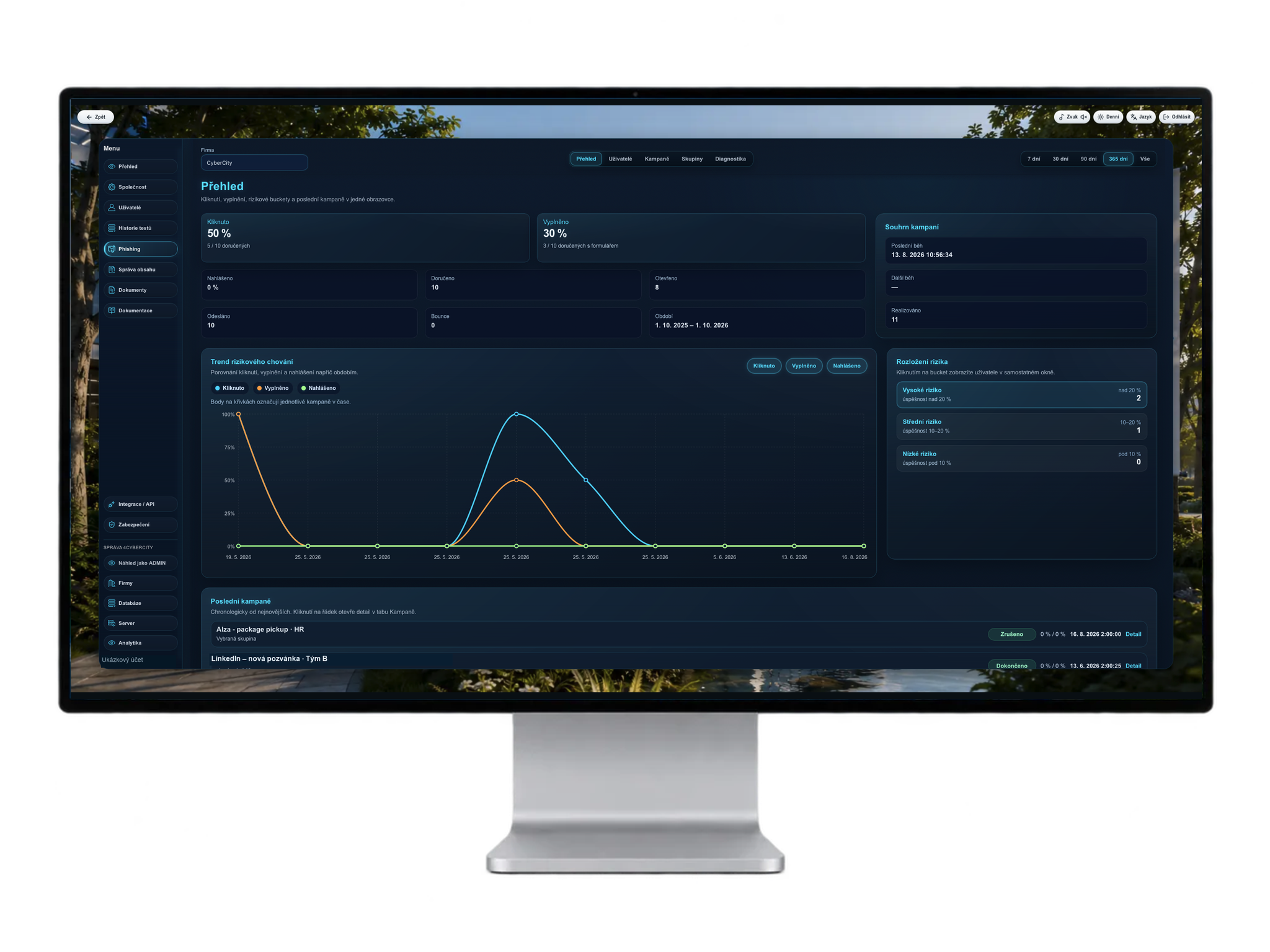
See where the risk is. And how it changes.

Campaign results, behavioural trends and risk groups in one place. See who and which situations need further attention.

Sample data. Click to enlarge the results dashboard.

Clicks

Who opened a link in the simulated email.

Form submissions

Who went on to submit the landing-page form.

Reports

Who recognised and reported a suspicious message.

The test result is the starting point.
Risk management comes next.

In 4Cyber, you group employees by risk based on simulation results. Target further training to their needs and use the next test to check for change.

LOW RISK

Maintain good habits

Continue regular training and check that employees can handle new scenarios too.

MEDIUM RISK

Focus on weak points

Revisit situations that cause difficulty. Connect explanations with practical exercises.

HIGH RISK

Provide targeted support

Give the group extra attention, reinforce the right approach and test responses again.

Frequently asked questions

They receive a simulated phishing email based on the selected scenario. The campaign may lead to a landing page. Results show responses such as clicks, form submissions and message reports.

No. You can start with a ready-made campaign from the library. If you need your own scenario, Studio lets you create a new email and landing page or edit an existing campaign.

Results help group employees by risk. Target further training to each group’s needs and use another simulation to see how their responses change.

Yes. 4Cyber brings cybersecurity training, knowledge checks, phishing simulations and results dashboards together. You manage employee development in one environment.

Training. Testing. Risk management.

See how the complete cycle works in 4Cyber — with real campaign examples and results.

See 4Cyber in action ↗
Scroll to Top