
Online
cybersecurity
training.
For your whole company.
Safe habits for employees. Responsible decisions for leaders. Secure IT management for administrators. All in one 4Cyber platform.
14 days free · explore the application and selected moduleseveryday work
and decisions
company IT
Choose training by role.
One platform, tailored content. From everyday habits and risk management to protecting systems.
Employees
Recognise phishing emails, protect company data and know how to respond to an incident.
- Easy to understand, even for beginners
- Situations from everyday work
- 10 topics and knowledge checks
View 10 topics
- Backups and responsibility for data
- Personal data protection
- Ethics and legal responsibility
- Security incidents and incident response
- Phishing and suspicious emails
- Physical security and a clear desk
- Remote work and BYOD
- Password security
- Social engineering
- Supplier security basics
Leadership and management
Understand risks, set priorities and make informed decisions during incidents.
- For company directors and team leaders
- Impact on the whole business
- 10 topics and practical scenarios
View 10 topics
- Business continuity and recovery planning
- Communication with regulatory authorities
- Cybersecurity strategy and risk management
- Data and information asset management
- Investing in security
- The role of leadership during incidents
- Legal responsibility of leadership
- Current threats and trends
- Security culture and leadership
- Supply chain and outsourcing risks
IT administrators
Manage access securely, protect systems and prepare for business recovery.
- For system and network administrators
- Microsoft 365, cloud and backups
- 10 specialist topics
View 10 topics
- IT inventory and protection of critical systems
- Identity and privileged access
- Secure server and endpoint configuration
- Vulnerabilities and patch management
- Network security and remote administration
- Securing Microsoft 365 and the cloud
- Backups and verified recovery
- Logging, monitoring and detection
- Security incident response
- Secure automation and change management
From the first topic
to verified knowledge.
Each topic combines explanation with practical decisions. Learners can see their progress and pick up where they left off.
Explore the application↗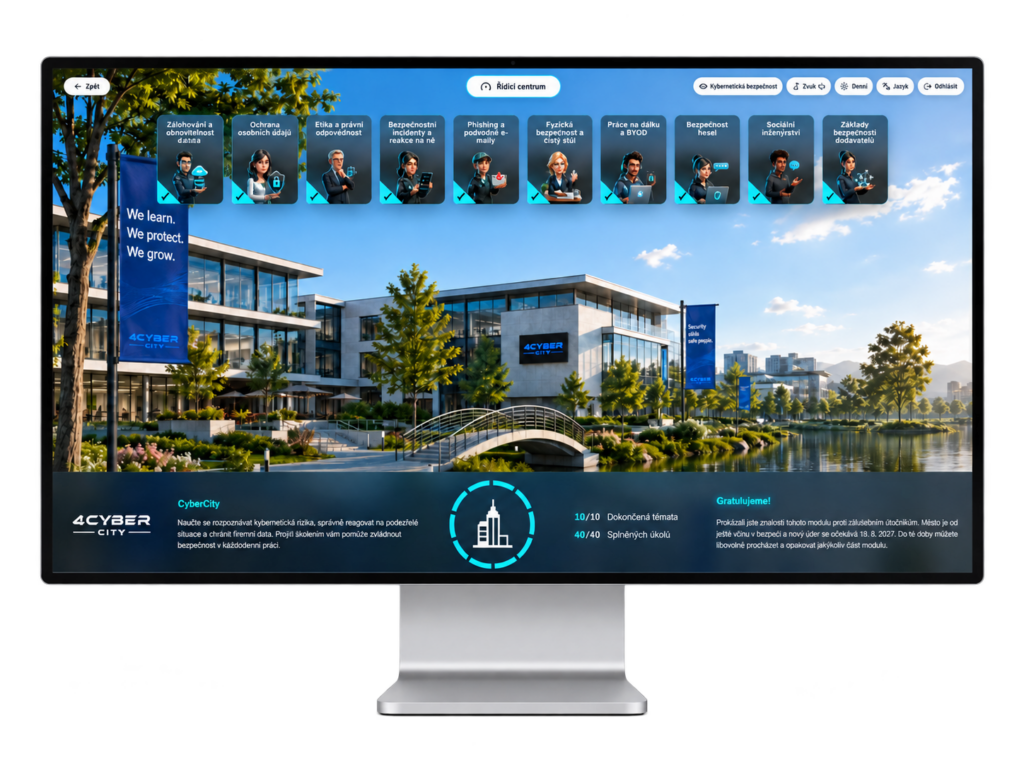
Introductory video
Understand the topic and why it matters.
Learning text
Principles and practical examples.
Realistic scenarios
Practise a safe response.
Knowledge test
Check what the learner has understood.
See how the training works.
Learners can easily find their way through each topic. First they learn, then practise realistic scenarios and finally check their knowledge.
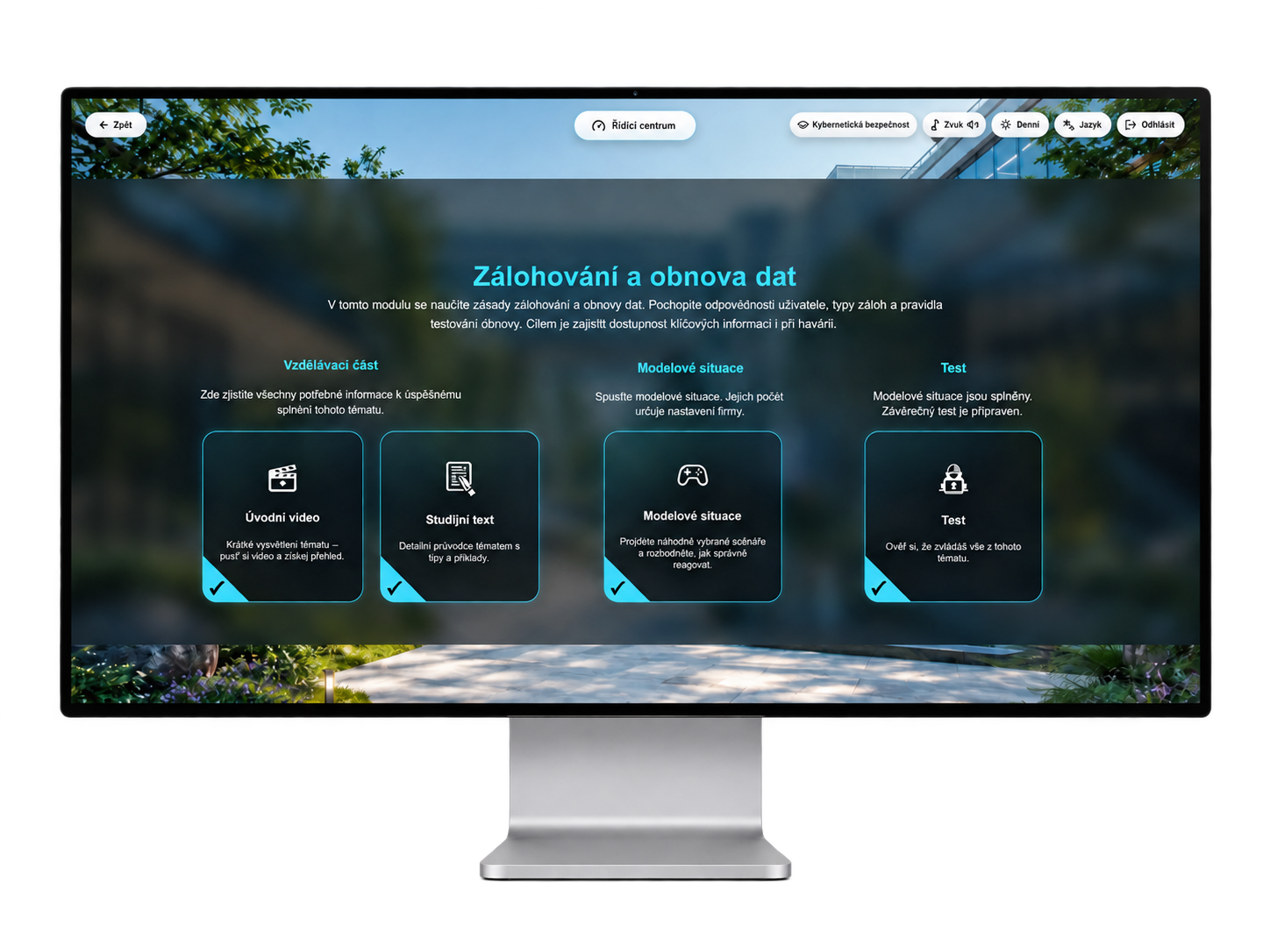 LEARNING AND PRACTICE
Everything for one topic in one place.
Introductory video, learning text, scenarios and a test. Learners see what they have completed and what comes next.
View details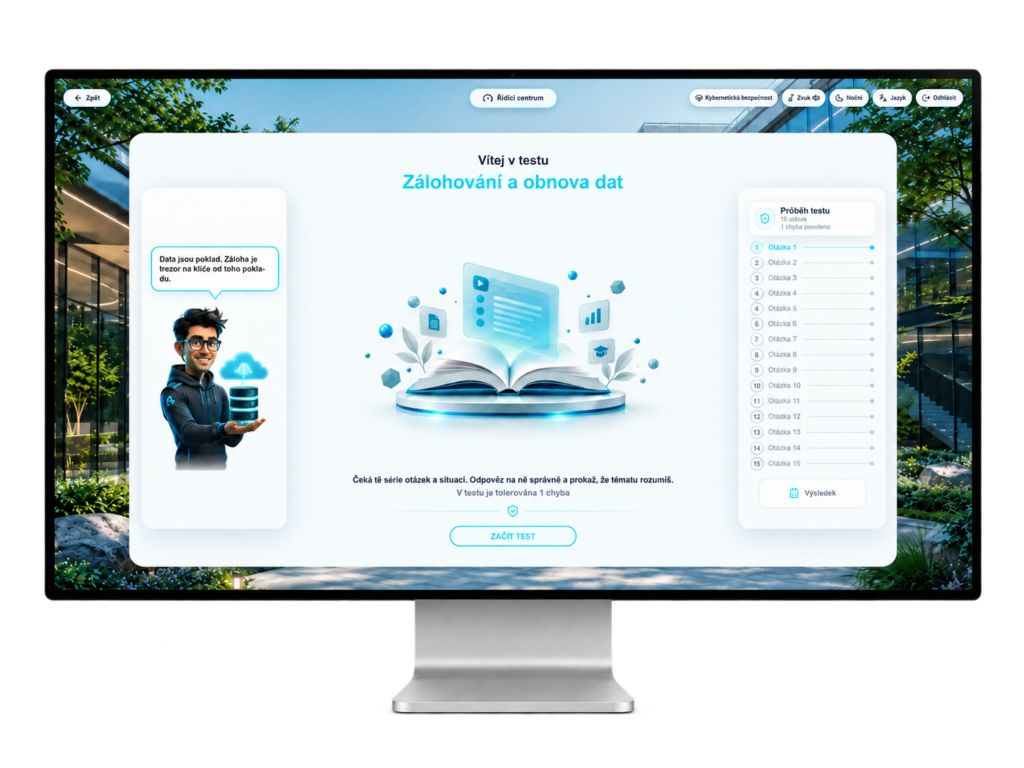 KNOWLEDGE CHECK
From understanding to making decisions.
Each test follows a specific topic and checks the learner’s understanding. Results appear in the training overview.
View detailsActual screenshots of 4Cyber’s Czech interface. Click any screenshot to enlarge it.
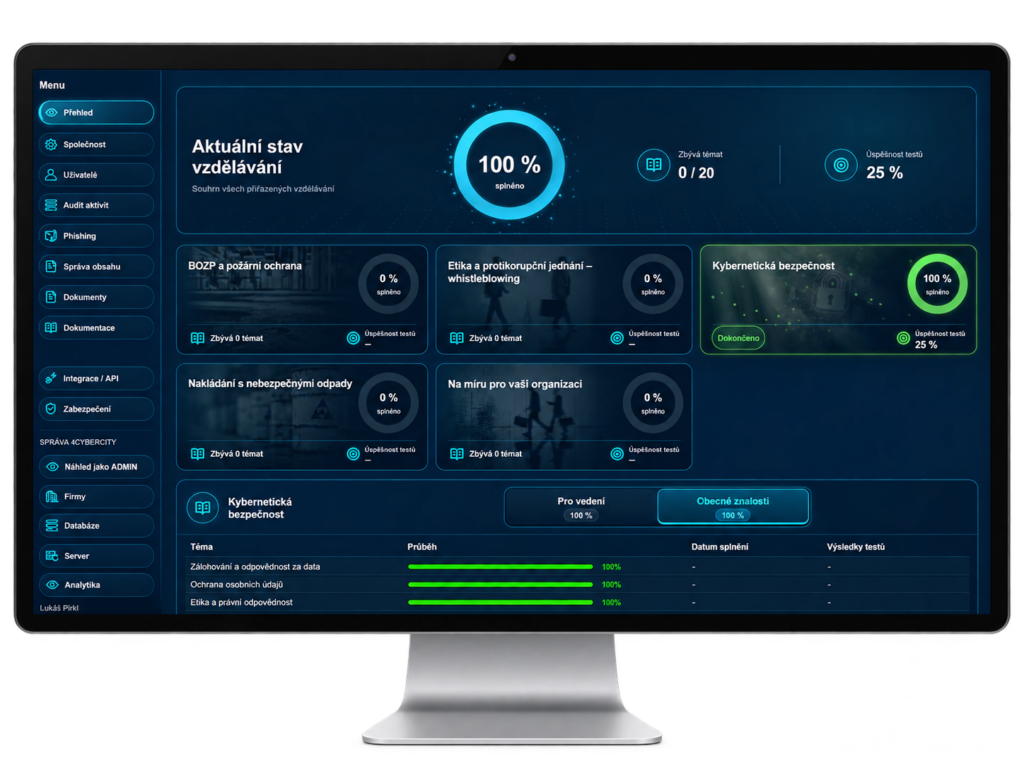
Know who has completed training.
And what they have learned.
Progress, results and completion records stay together. Administrators have an overview across the organisation.
Training records whenever you need them.
Your company can track completion and training history. Find individual records in the platform and export the required reports to PDF.
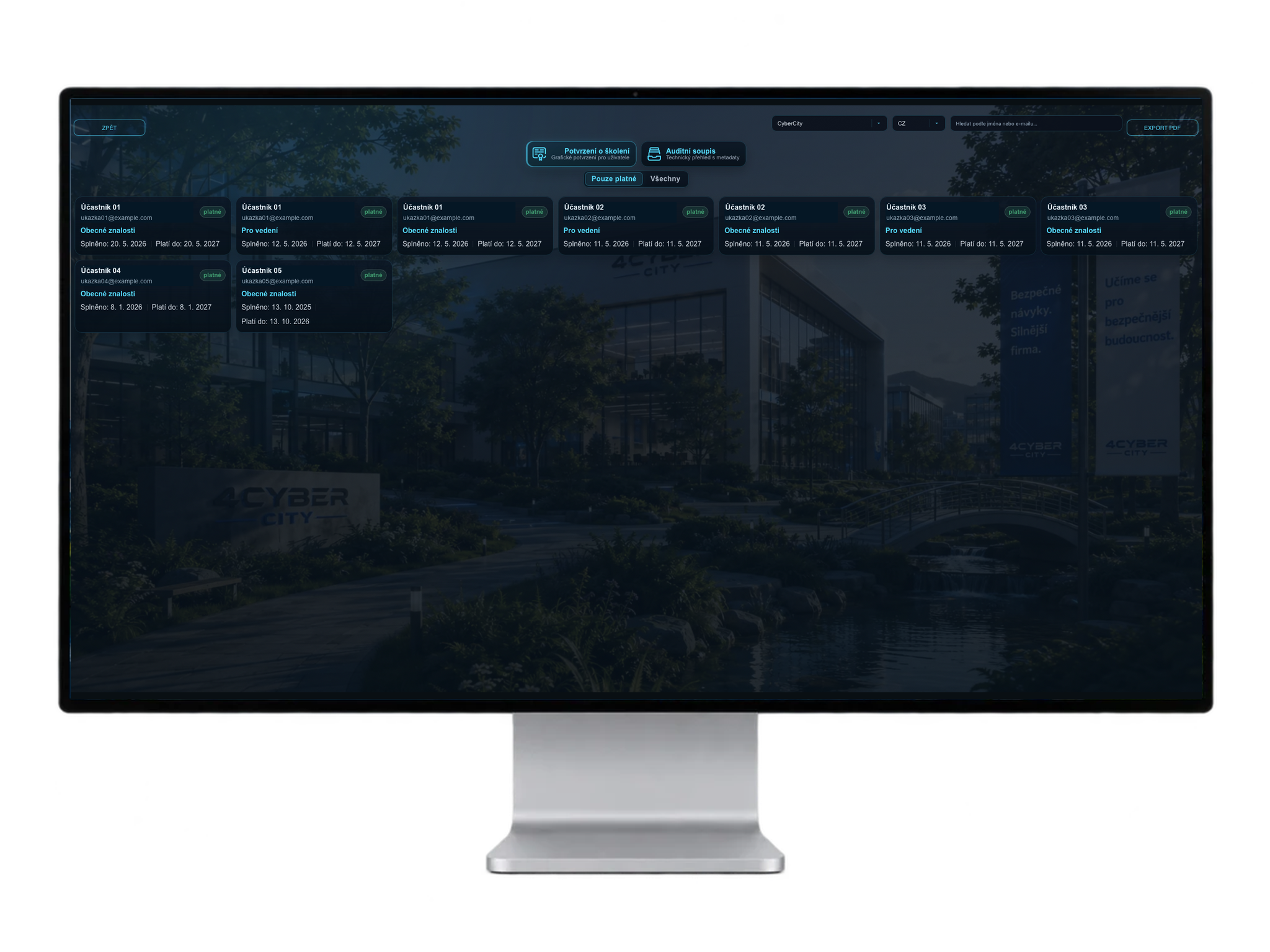 TRAINING CERTIFICATES
Who completed training and when it expires.
An overview of learners, completed training and certificate validity. Easily find a person and their records.
View details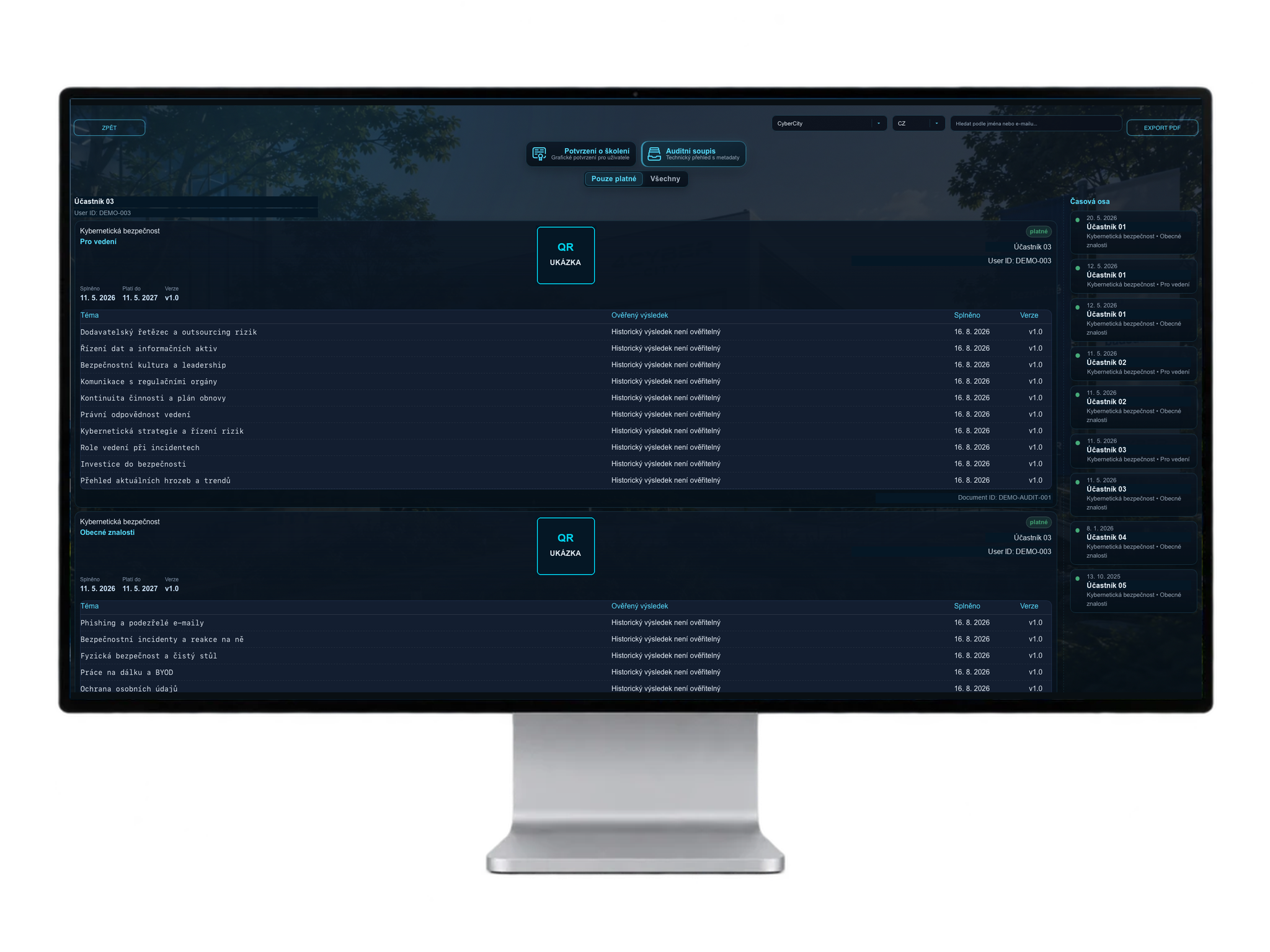 AUDIT REPORT
A detailed history of completed topics.
Topics, dates and training versions in a timeline. Clear records for internal reviews or audits.
View detailsActual screenshots of the platform’s Czech interface with anonymised data. People and values shown are demonstration examples.
What you need to know.
We help you choose suitable training for employees, leaders and IT teams.
Is the training suitable for beginners?
Basic employee training is easy to understand without specialist IT knowledge. Leaders and administrators have their own learning paths.
Can I pause training and continue later?
Yes. The platform saves progress, so learners can pick up where they left off.
How can the company document completion?
After successful completion, learners receive a certificate. The company has a completion overview and an audit report.
Can we try the application first?
Yes. You can explore the application and selected modules free for 14 days.
Try training
for your company.
Explore 4Cyber and selected modules. Together, we will choose training to suit your team’s needs.