4CYBER STUDIO · YOUR CONTENT AND COMPANY TRAINING

Your knowledge.
Your own courses.
One application.

Turn company processes and your people's knowledge into online training. In your own Studio, create new content, edit existing materials and build training around your company's needs.

Create content yourself, or let us prepare it for you. Employees stay in the familiar 4Cyber environment.

YOUR CONTENT STUDIO
Your own
company course
4CYBER STUDIO
YOUR KNOWLEDGEContent for
your company.
Ready for your team
Build your own training from individual content blocks.
Create and edit contentTraining for your company's needsAll in one familiar application
What does your company need to know?

Create training for your employees’ work, roles and needs.

Occupational safety and fire protection
Driver training
Hazardous waste
New employee onboarding
GDPR and data protection training
Company procedures and more

Examples of areas where you can create your own content or have us tailor it to your needs.

CREATE IT YOURSELF

Create it yourself.
Keep control of your content.

Use your team's expertise and company materials. Turn them into your own online training in Studio.

  • Prepare topics and knowledge checks.
  • Build training for your company.
  • Update content when procedures change.
See how Studio works ↓
TAILORED CONTENT

We prepare it for you.
To fit your company's needs.

Tell us what employees need to learn. We prepare training content from your topics and materials.

  • From a single topic to a complete course.
  • With your procedures and roles in mind.
  • For the same 4Cyber platform.
Request tailored training ↗

One Studio.
From idea to ready-to-use training.

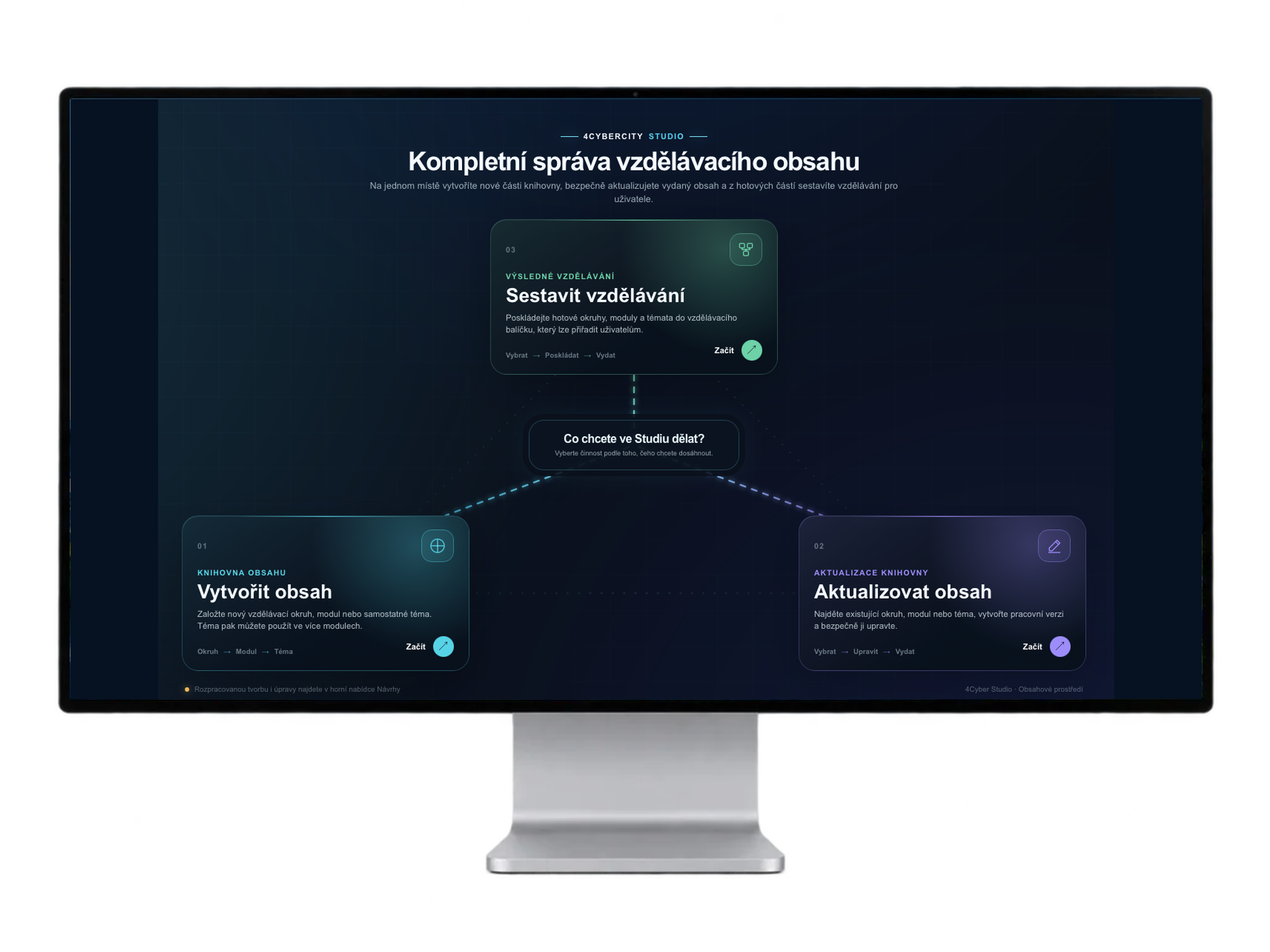
4Cyber Studio is an environment for creating and managing training content. Create a new topic, update existing content and combine prepared parts into complete training.

Your own courses are part of the same platform you use for cybersecurity and AI training.

Content management in Studio. Click to enlarge.

Explain. Practise. Verify.

Combine different content formats in a topic based on what employees need to learn.

Video

Introduce a topic and show the procedure.

Study text

Explain rules and add examples.

Practical scenarios

Practise decisions in specific situations.

Tests

Check understanding with questions and answers.

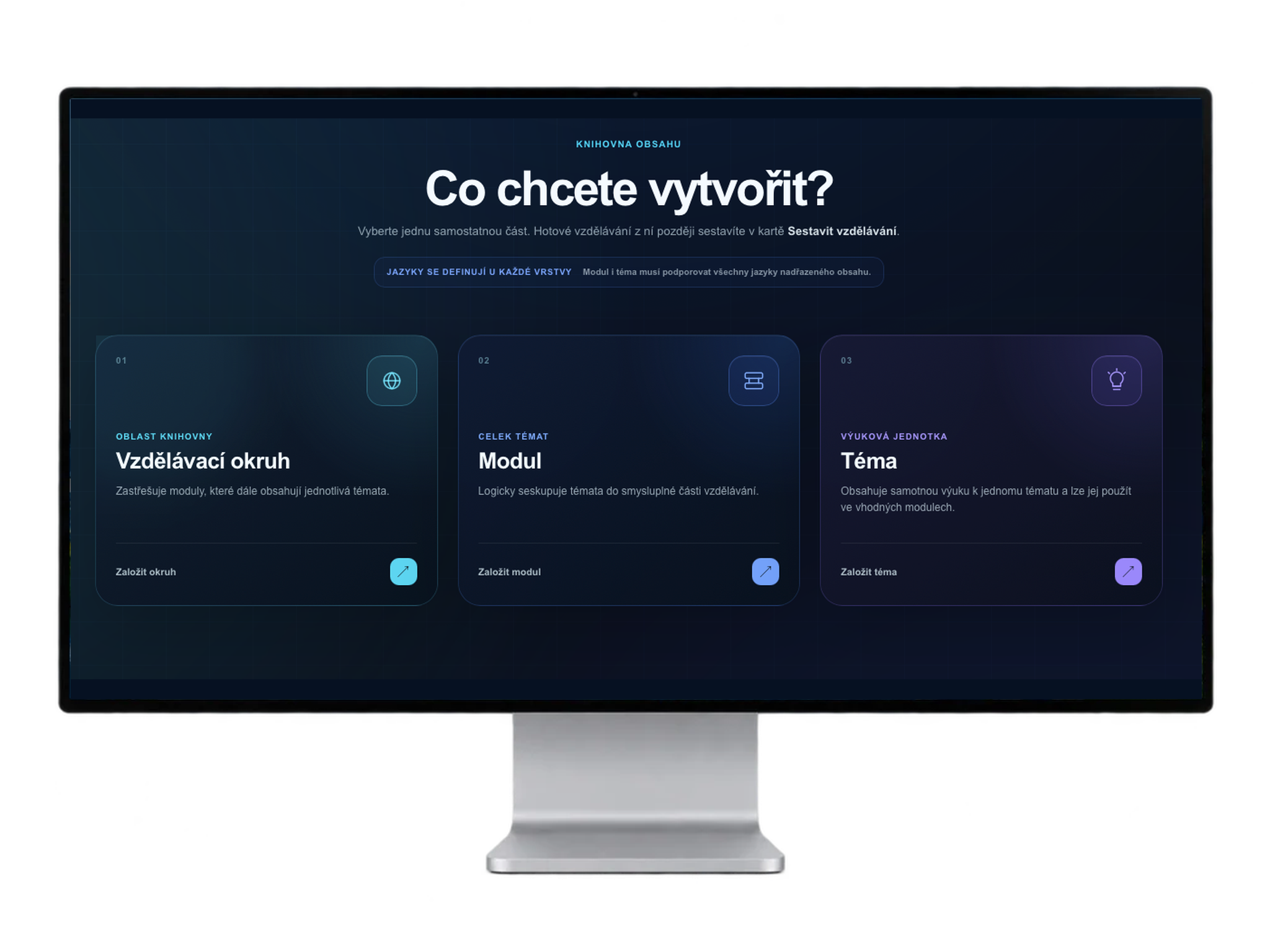
Create a topic
step by step.

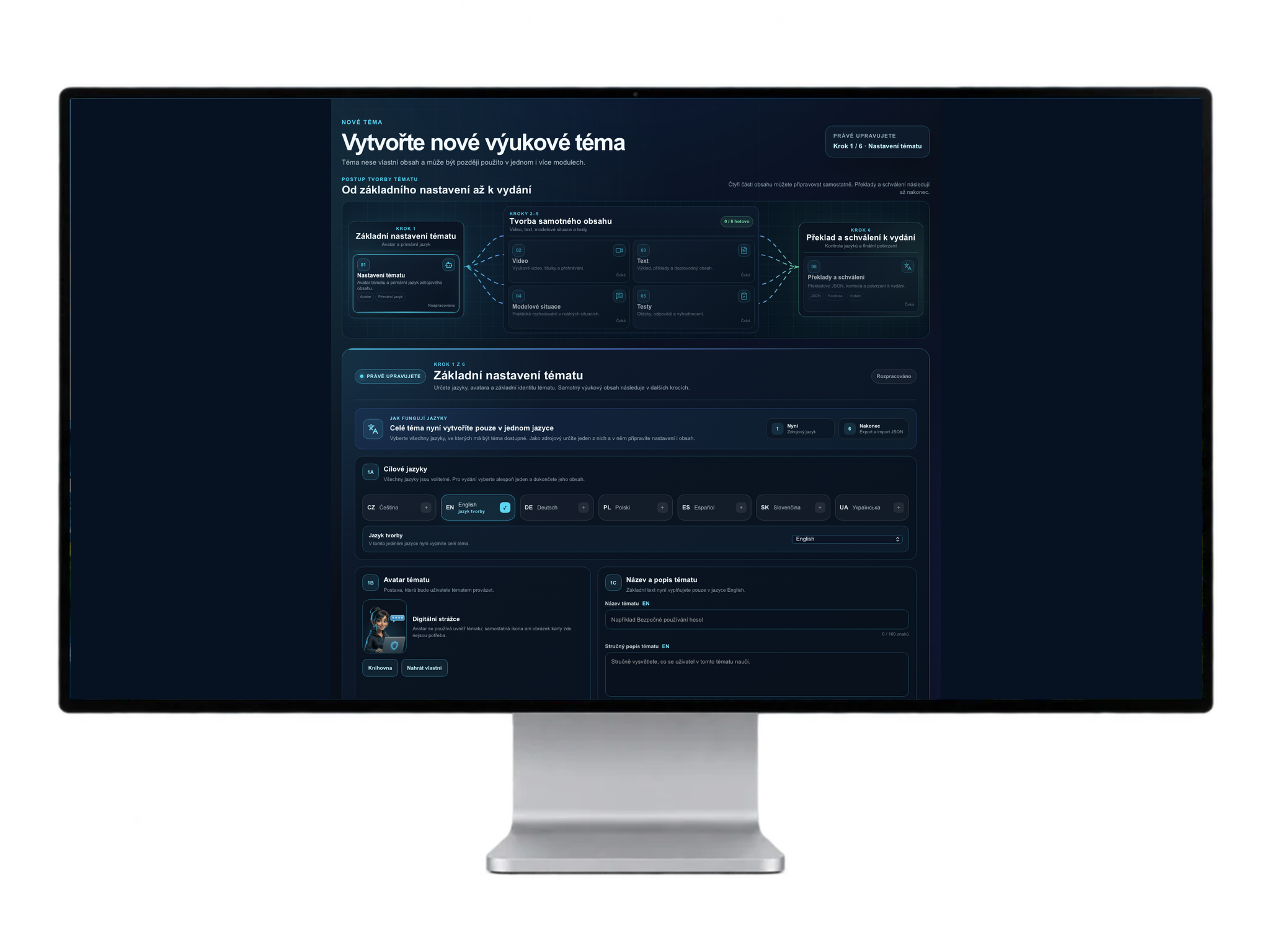
Set the title, description, guide and language. Then prepare video, text, scenarios and tests.

Create each part separately. Finally, prepare language versions, review the content and approve it for release.

Reuse a topic in multiple modules and keep it up to date.

Topic setup and creation. Click to enlarge.

Build complete training from individual topics.

A clear structure for short training and larger learning programmes.

Organise your knowledge

Learning areas, modules and topics. Click to enlarge.

Learning area → module → topic.
For example: Occupational safety → Warehouse work → Safe handling.

Start with one topic. Add more as your company needs them.

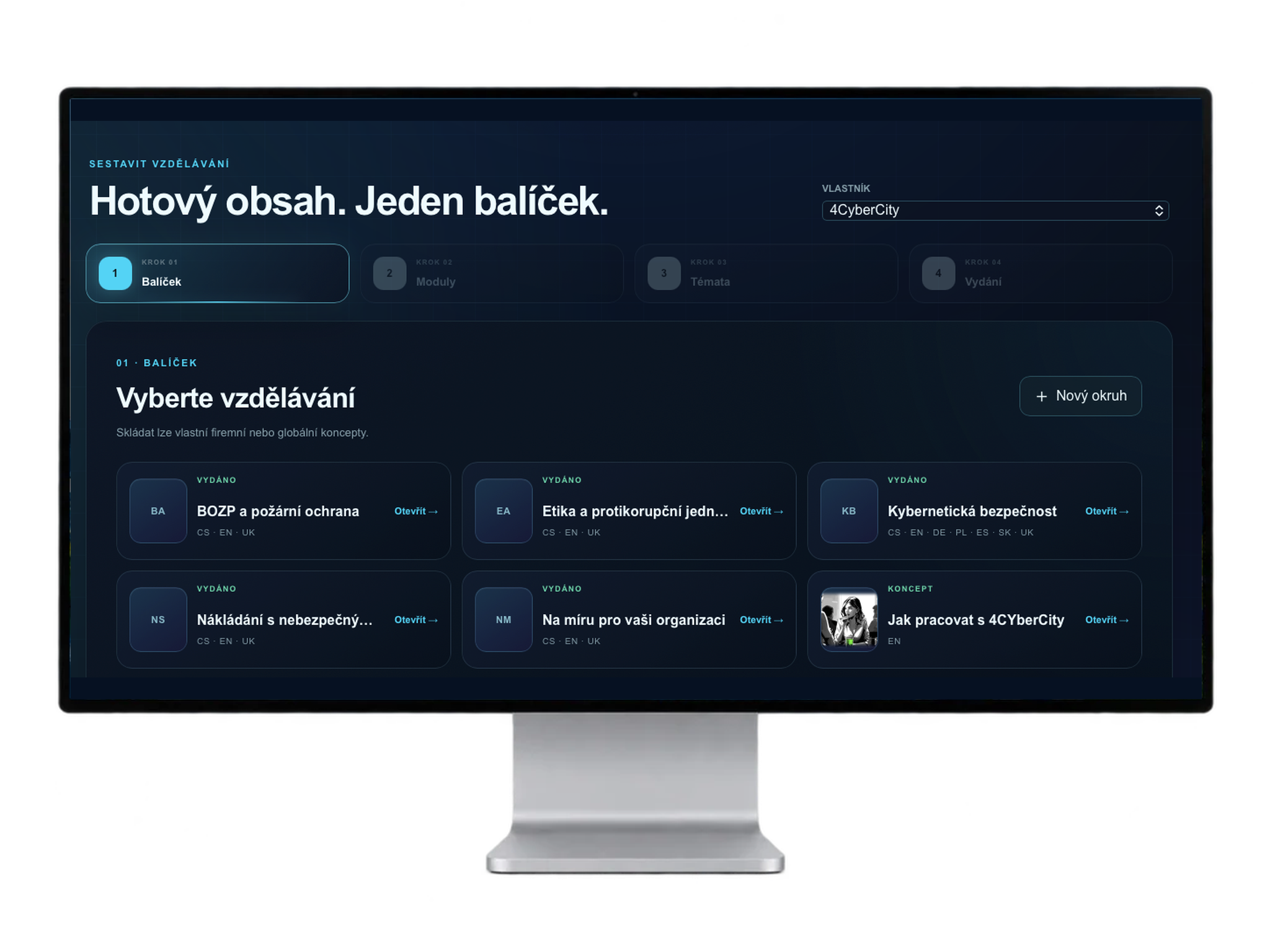
Combine content into a package

Training assembly. Click to enlarge.

Select prepared learning areas, modules and topics. Combine them into training that you can assign to employees.

Reuse completed content.

How your knowledge reaches employees

01 →

Create content

Prepare topics around what people need to know.

02 →

Build training

Combine topics and modules into a coherent whole.

03 →

Review and release

Complete the content and prepare it for employees.

04 ↻

Keep developing

Update courses, add topics and reuse content.

For employees,
one familiar environment.

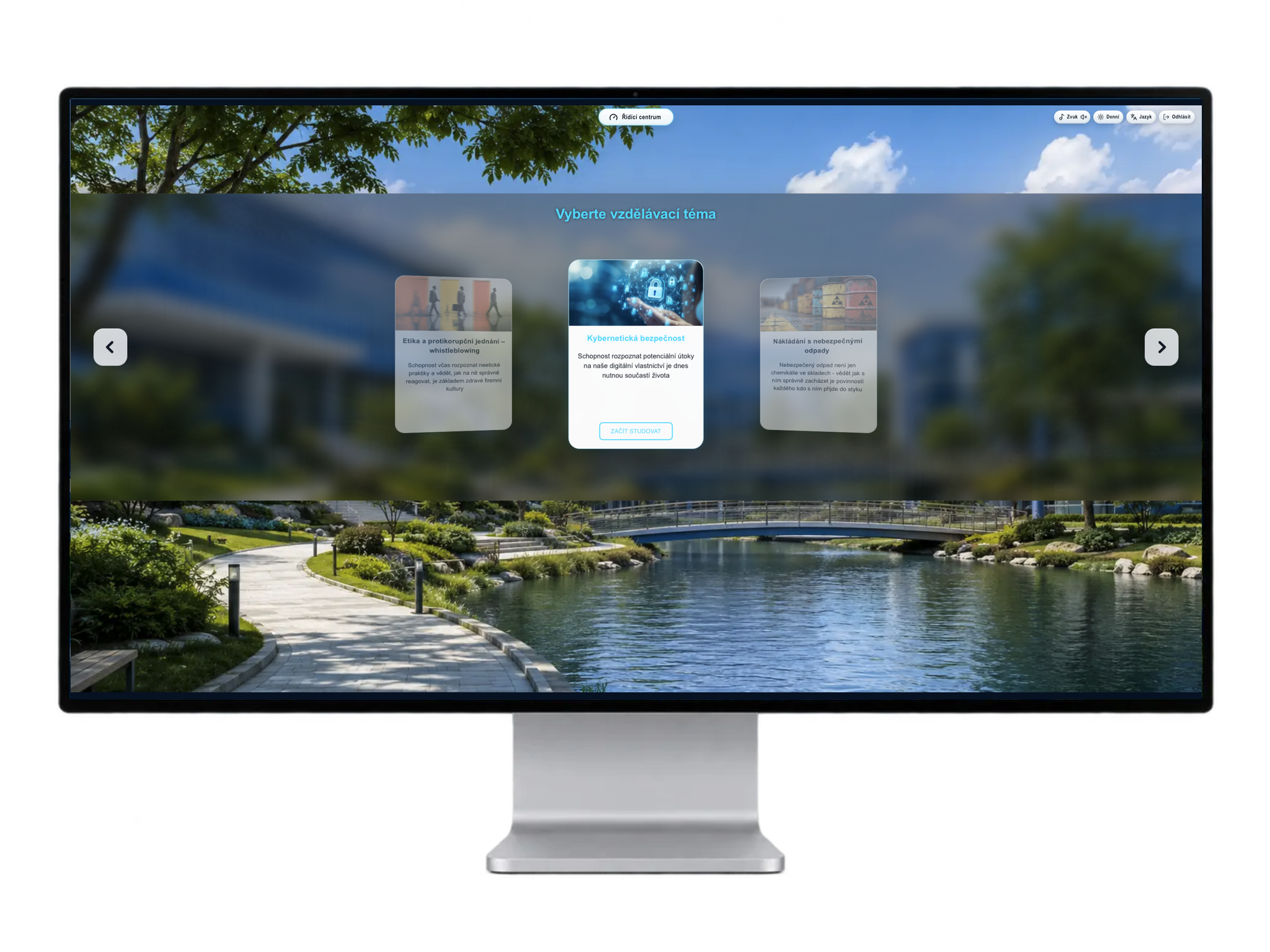
Cybersecurity, AI and other company training in one application. Employees open an available learning area and start studying.

Your own courses extend the 4Cyber platform. No separate learning application is needed for additional topics.

Employee view of available training. Click to enlarge.

Frequently asked questions

Yes. Studio lets you create your own learning areas, such as occupational safety, driver training, hazardous waste handling, onboarding or company procedures.

No. You can create content yourself in Studio, or we can tailor it to your company’s topics, materials and needs.

Yes. Studio lets you prepare a working version of existing content and release an update. Use one topic in multiple modules and build new training from completed parts.

Yes. Set a source language and target languages for content. Translation and review are part of preparation before release.

An LMS is a learning management system. In 4Cyber, it supports your own company courses and makes them available to employees. It complements the platform’s core focus: cybersecurity, AI, testing and risk management.

What do your people need to learn?

Let's discuss your topics, what you can create yourself and where we can help.

Discuss company training ↗
Scroll to Top